
Refer organizers as a partner (venues and agencies)
Venues, agencies and associations: apply to the partner program, share your referral link or QR code, and earn on what organizers pay.
On this page
Convention centers, venues, event agencies, associations and consultants can refer organizers to Badgetrac and earn 15% of what those organizers pay us for 24 months. Joining is free, with no minimum number of referrals.
Apply
-
Step 1: Sign in first
Sign in to Badgetrac, or create an account, before you apply. Your application is then linked to your login, so your dashboard works as soon as you're approved.
-
Step 2: Fill in the form
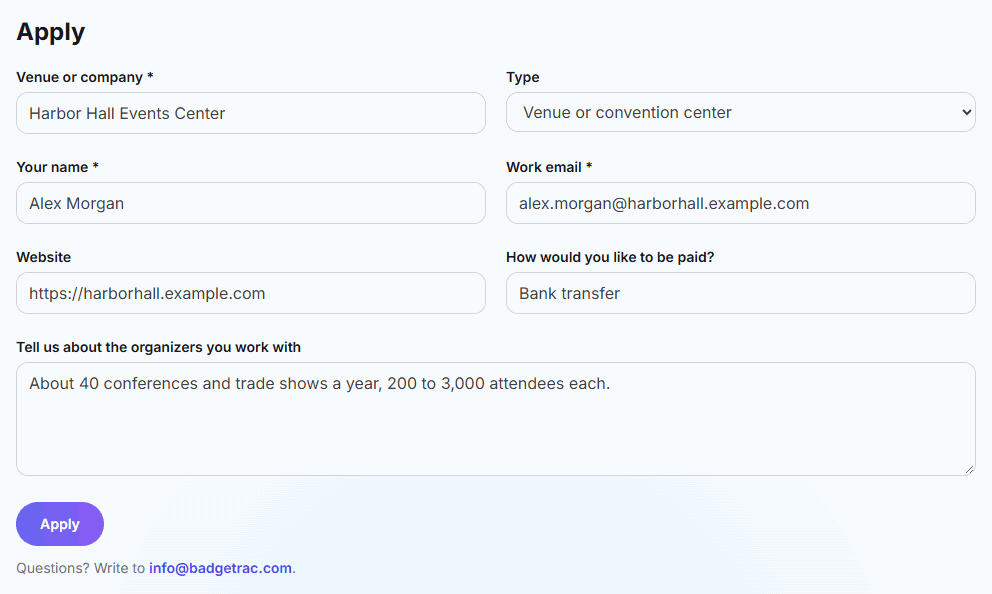
Go to badgetrac.com/partners and click Apply to become a partner. Enter your Venue or company, Type, Your name and Work email, plus how you'd like to be paid and the organizers you work with.
-
Step 3: Send it
Click Apply. We review your application and email you your referral link, usually within two business days.
Tip: Applied without signing in? When we approve you, we email you how to create an account with the same email address so we can connect it to your partner dashboard.
Share your link
Which organizers count
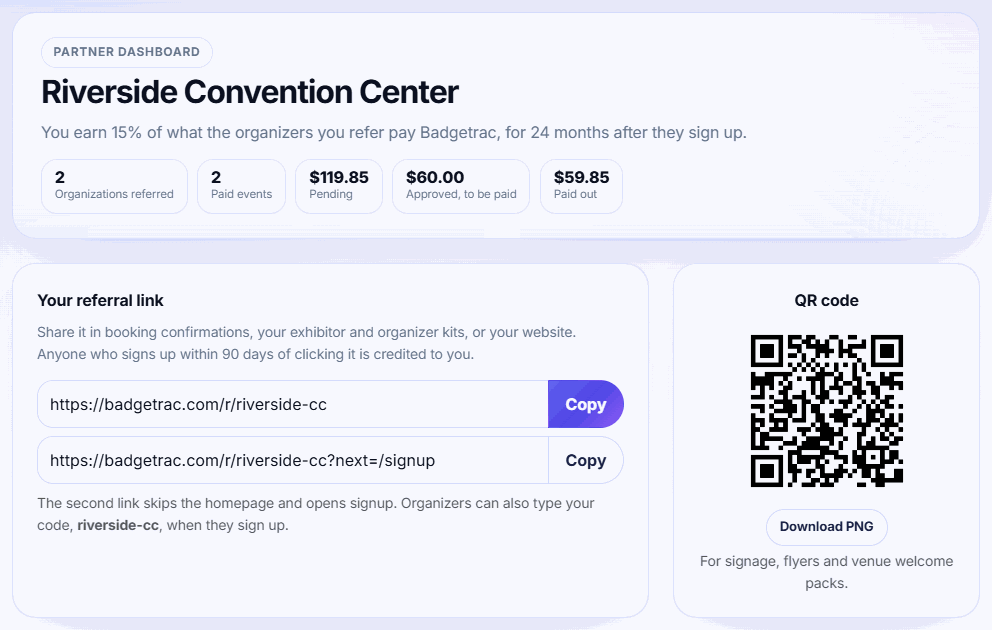
- New organizations that sign up through you: anyone who signs up within 90 days of clicking your link, or who types your code at signup.
- First touch wins: an organization is credited to one partner only, the first one whose link they used.
- Not existing customers: organizations that already paid Badgetrac before the referral aren't credited, and you can't refer your own organization.
What you earn
- 15% of every payment the organization makes to Badgetrac: event plans, upgrades, multi-event packs and annual agreements.
- For 24 months from the day the organization is referred.
- On the amount actually paid, after discounts and before tax. For example, a Growth plan at $799 earns you $119.85.
Exhibitor lead licenses and booth sales don't earn commissions. When organizers sell lead scanning or booths to exhibitors, that money goes to the organizer, not to Badgetrac.
Track and get paid
-
Step 1: Watch referrals arrive
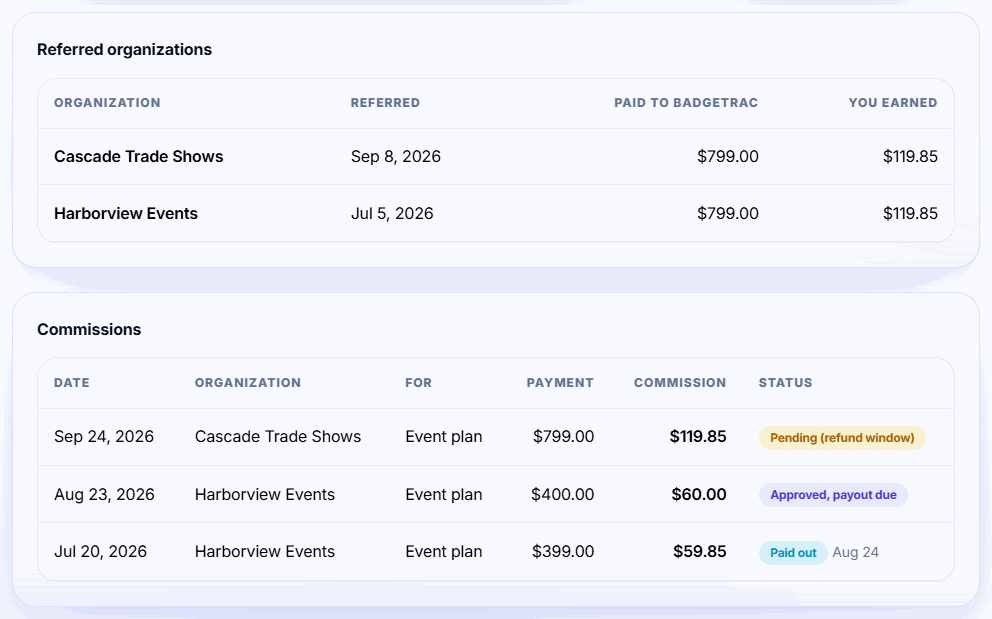
An organization appears under Referred organizations once it signs up through your link and connects Eventbrite or creates an event.
-
Step 2: Follow each commission
Every payment it makes adds a row under Commissions: first Pending (refund window), then Approved, payout due, then Paid out.
-
Step 3: Set up payouts
Under Get paid, pick the country of your bank account and click Set up payouts with Stripe. Stripe asks for your business and bank details; when you're done it sends you back to your dashboard. Prefer bank transfer or PayPal? Leave your details under Prefer bank transfer or PayPal? instead.
-
Step 4: Get paid
Approved commissions are paid monthly. You get an email for each payout, and it appears under Payouts on your dashboard.
When commissions are paid
A new commission stays pending for 30 days in case the payment is refunded. After that it's approved, and approved commissions are paid out monthly once they add up to $25.00. A refunded payment voids its commission. While a partner account is paused, new payments don't earn commissions.
Get paid with Stripe
Stripe payouts are the quickest way to get paid. Badgetrac sends your commissions to your own Stripe account, and Stripe pays them into your bank on your account's payout schedule, usually within a few business days. Badgetrac never sees your bank details.
- Setup takes about five minutes. Stripe asks who you are, your business details and your bank account. Until Stripe has verified them, your dashboard shows "Stripe setup in progress"; click Continue Stripe setup if Stripe needs anything else.
- Your Stripe dashboard (Open Stripe dashboard under Get paid) shows each payout, lets you change your bank account and, where Stripe provides them, holds your tax forms.
- Outside the United States? Pick your bank's country when you start. If it isn't listed, or Stripe can't pay out there, use bank transfer or PayPal instead.
Your dashboard shows organization names and what they paid, never their contact details. Questions? Write to info@badgetrac.com.
Related guides
- Create your account and connect Eventbrite Sign up as an organizer, connect your Eventbrite account, and find your Eventbrite events in Badgetrac.
- Choose a plan and what happens if you go over How attendee limits work, which tickets count, the grace margin over your limit, and how to upgrade without losing what you paid.
- Annual agreements for organizers with several events One agreement and one price for every event you start in a period, with a volume discount. Covered events move to the plan automatically.
Still stuck?
Tell us what you were trying to do and what you saw. We'll help you sort it out.