
Send badge proofs to attendees
Email attendees a link to check their name, company and title before you print. Their fixes survive Eventbrite syncs.
On this page
Plan: Included on every paid plan (Starter, Growth, Pro and Custom). It isn't available on the Free plan. Compare plans.
Typos on badges cost time at the desk. Badge proofs email each attendee a private link where they can fix their name, company and job title before you print.
Send badge proofs
-
Step 1: Open the event overview
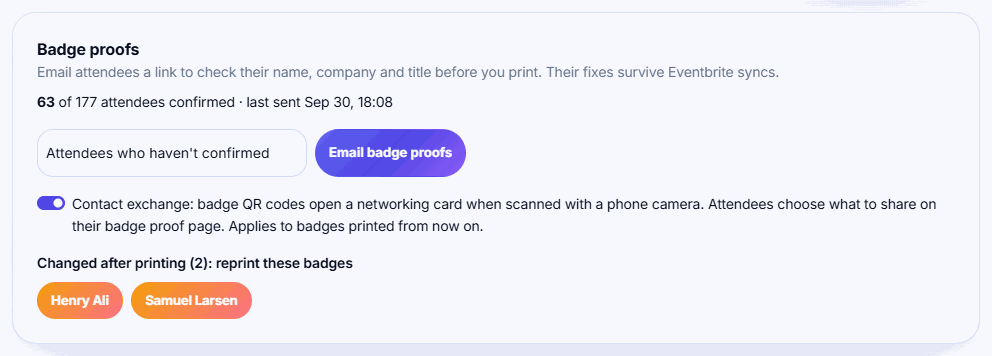
Open your event. The Badge proofs card is on the overview page.
-
Step 2: Choose who to email
In Who to email, pick Attendees who haven't confirmed or All attendees.
-
Step 3: Send
Click Email badge proofs and confirm. Emails go out over the next few minutes.
-
Step 4: Track confirmations
The card shows how many attendees have confirmed and when you last sent proofs. Send again later to remind the rest.
-
Step 5: Reprint changed badges
If someone changes their details after their badge was printed, they appear under Changed after printing. Click each name to print a new badge.
What attendees see
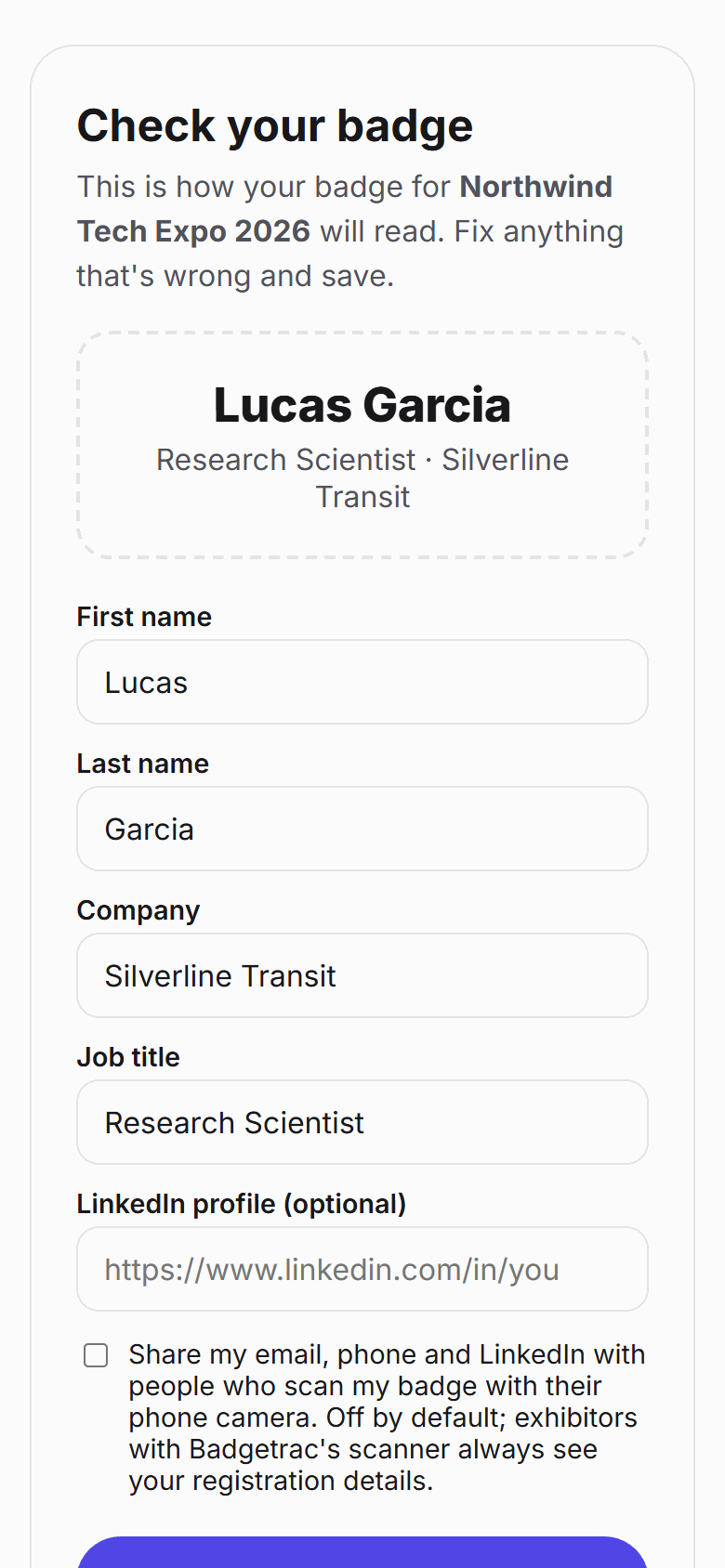
The email has the subject Check your badge for [event] and a Check my badge button. The link opens a page where the attendee can edit:
- First name and last name (at least one is required)
- Company
- Job title
They click Looks good, confirm my badge to confirm. They can come back and click Save changes any time until the event ends. Email and ticket type can't be changed. The page shows the details, not your full badge design.
If contact exchange is on, the page also lets attendees add a LinkedIn link and choose to share their contact details.
Fixes survive Eventbrite syncs
Any field an attendee changes is locked against Eventbrite. Later syncs keep updating the other fields but won't overwrite what the attendee fixed.
Tip: Send proofs a week before the event, then again two days before to Attendees who haven't confirmed. Print in advance after the second round.
Who gets an email
- Only attendees with an email address and an active ticket. Cancelled and refunded tickets are skipped.
- Emails come from your organization's name, sent from
noreply@badgetrac.com. - Links expire after 120 days, and editing closes when the event ends.
Related guides
- Design your badge Set the badge size, place names, company, QR code and images in the badge designer, and save the layout used for every print.
- Handle reprints and read the print log Reprint lost or wrong badges, unmark badges printed by mistake, and see reprints by reason and prints by desk.
- Turn on contact exchange Let attendees share their email, phone and LinkedIn when someone scans their badge with a phone camera. It's opt-in per attendee.
Still stuck?
Tell us what you were trying to do and what you saw. We'll help you sort it out.