
Watch check-in live and keep a backup list
Follow arrivals, no-shows, reprints and desks in real time, and print a paper backup list in case the Wi-Fi drops.
On this page
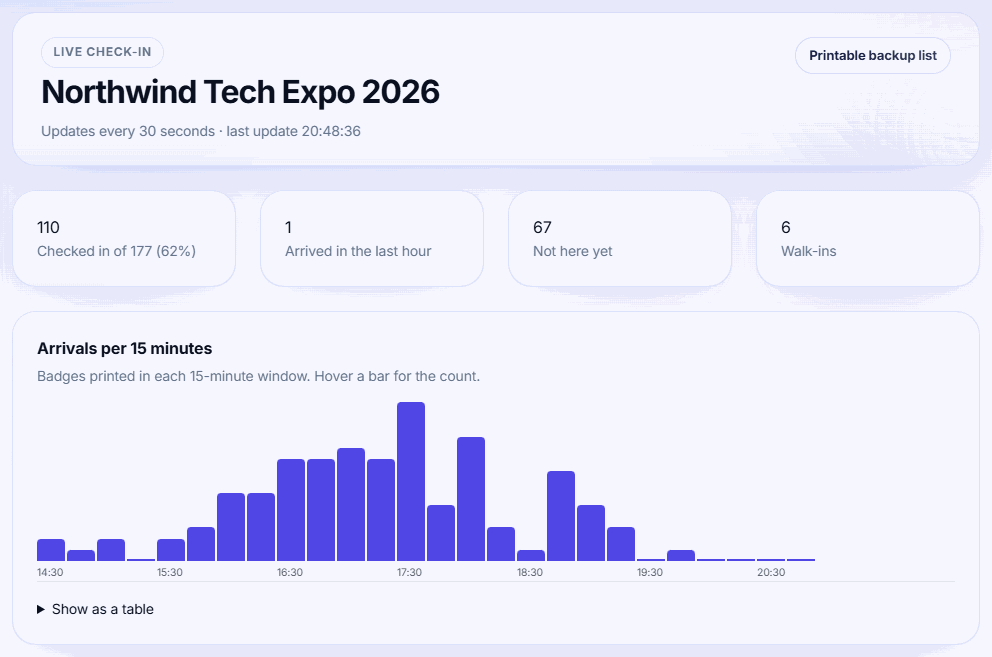
The live dashboard shows how check-in is going while doors are open. Badgetrac counts an attendee as checked in once their badge is printed, or if they were checked in through Eventbrite.
Use the live dashboard
-
Step 1: Open Live check-in
Open your event and click Live check-in in the left sidebar.
-
Step 2: Read the tiles
The top row shows checked in out of total, arrivals in the last hour, people not here yet, and walk-ins. The page updates every 30 seconds.
-
Step 3: Spot problems
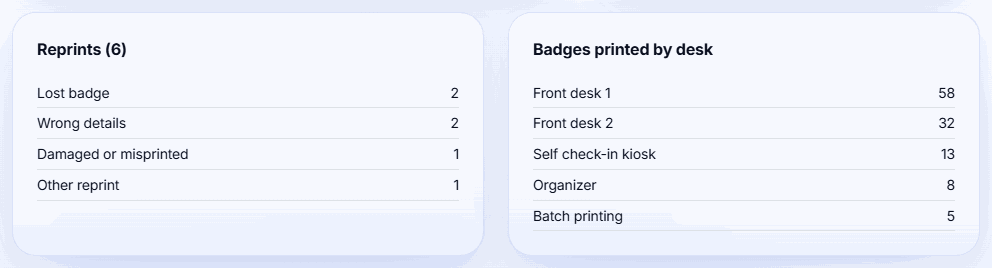
Use Arrivals per 15 minutes to see rushes, Reprints to spot a desk printing the wrong details, and Badges printed by desk to balance staff.
What each card shows
- Arrivals per 15 minutes: badges printed over the last 12 hours. Click Show as a table to see the numbers.
- By ticket type: arrived out of total for each ticket type.
- Sessions: the busiest sessions by attendance, if you use session check-in.
- Reprints: split into wrong details, lost badge, damaged or misprinted, and other.
- Badges printed by desk: each volunteer station, the self check-in kiosk, batch printing and organizer prints.
Print a backup list
-
Step 1: Open the list
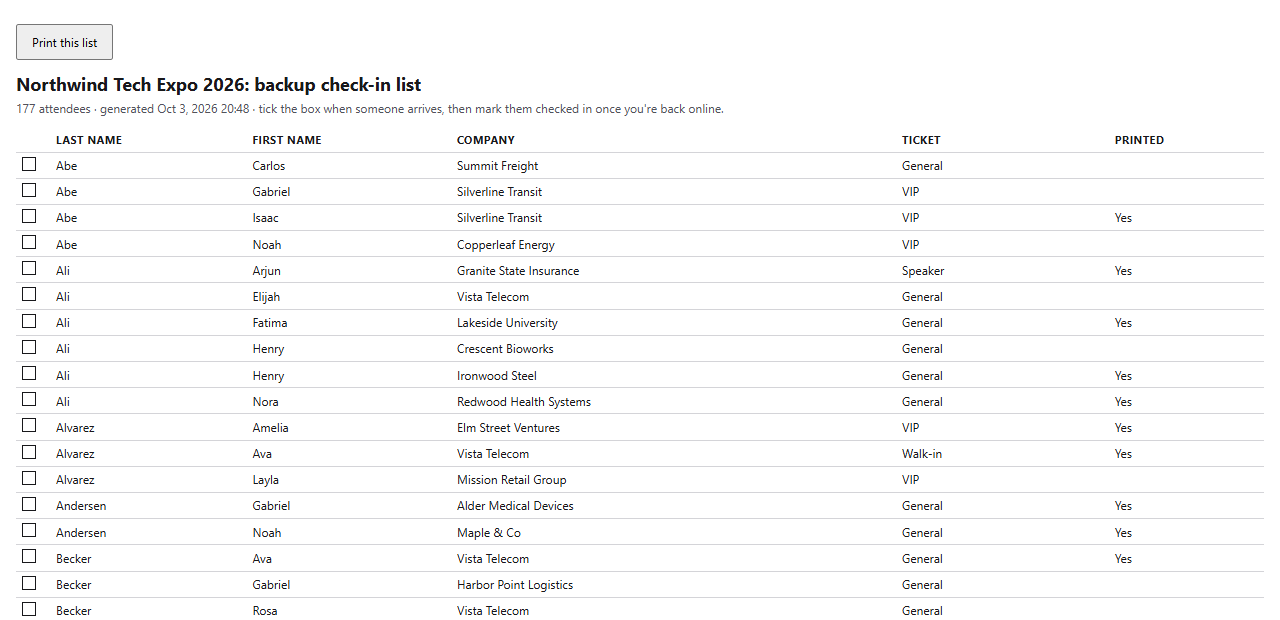
Click Printable backup list at the top of the dashboard. It opens in a new tab.
-
Step 2: Print it
Click Print this list. Print it shortly before doors open so it's up to date.
-
Step 3: Use it if you go offline
Tick the box next to each person as they arrive. When you're back online, print their badges in Badgetrac so they count as checked in.
Print the list before you need it. The backup list is a web page, so if the venue Wi-Fi is already down you can't open it. Print one copy per desk shortly before doors open.
The list is sorted by last name. It shows first name, company, ticket type and whether a badge was already printed. Cancelled and refunded tickets are left out.
Related guides
- Set up volunteer stations Give each check-in desk its own link and 6-digit PIN so volunteers can search, print and register walk-ins without your password.
- Handle reprints and read the print log Reprint lost or wrong badges, unmark badges printed by mistake, and see reprints by reason and prints by desk.
- Check attendees into sessions Create sessions with an optional capacity, scan badges at the door from any phone, and export attendance as CSV.
Still stuck?
Tell us what you were trying to do and what you saw. We'll help you sort it out.