
Sync attendees from Eventbrite
Pull every Eventbrite registration into Badgetrac, re-sync before the event, and see how cancelled tickets are handled.
On this page
A sync copies every registration for an Eventbrite event into Badgetrac. Once your account is connected, new orders, refunds and attendee changes also arrive by themselves within a minute or two, and events starting in the next 30 days are re-synced in the background every hour. Run a sync after connecting, and whenever you want to be sure the list is complete.
First, connect your account. See Create your account and connect Eventbrite.
Sync attendees
-
Step 1: Open Attendees
Open an Eventbrite event and go to Attendees.
-
Step 2: Start the sync
Choose Actions → Sync from Eventbrite. A progress bar shows how far it has got.
-
Step 3: Wait for the message
When you see All attendees have been synced successfully!, click Ok, got it!. The table refreshes.
-
Step 4: Check the date
The toolbar shows Last sync with the date and time.
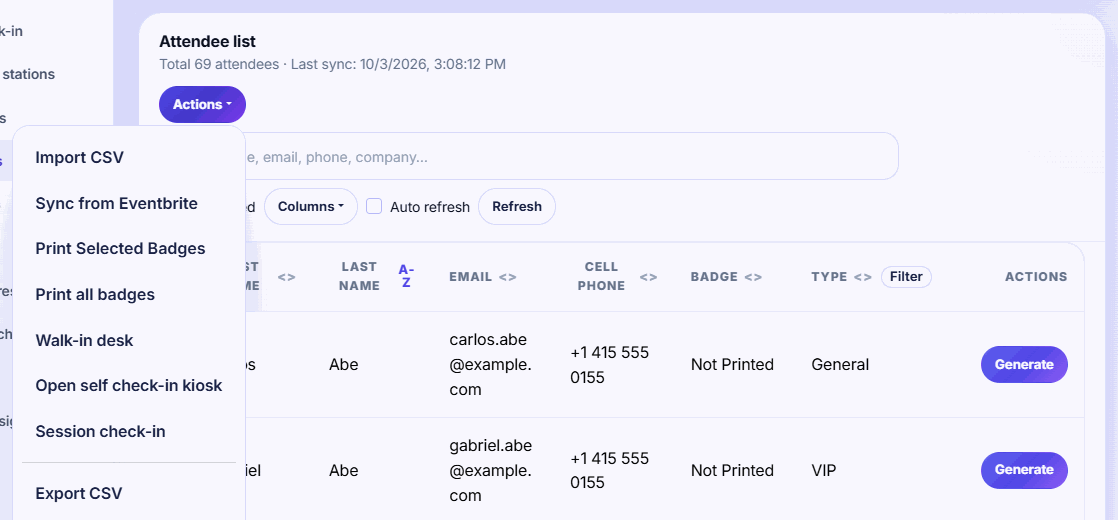
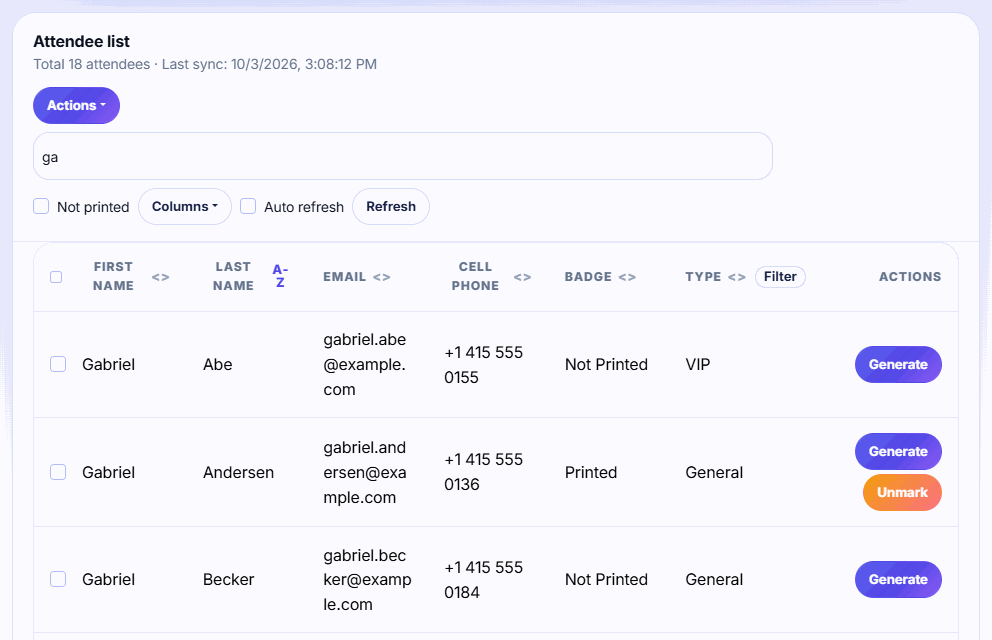
Sync once more before doors open. New registrations normally appear by themselves, but a last sync shortly before the event makes sure late sign-ups have badges. Walk-ins registered in Badgetrac don't need a sync.
What a sync changes
- New Eventbrite attendees are added. Existing ones are updated by their Eventbrite ticket.
- Blank fields in Eventbrite don't erase details already in Badgetrac.
- Fixes attendees made through badge proofs are kept. The sync doesn't overwrite them.
- Badges already printed stay marked as printed. When an attendee changes their details in Eventbrite, the automatic update marks their badge as not printed, so you can print the corrected one.
Cancelled and refunded tickets
Cancelled and refunded tickets stay in Badgetrac, marked as cancelled, so you can see what happened. They:
- don't count toward your plan's attendee limit;
- can't be printed at volunteer stations or the kiosk, which send the person to the help desk;
- are left out of attendee emails, raffles and the backup list.
The total on the Attendees page includes cancelled tickets, so it can be higher than the number on your plan card.
If the sync fails
- Eventbrite token is missing: reconnect Eventbrite from Account settings.
- Failed to sync attendees: wait a minute and try again. Eventbrite sometimes limits requests for large events.
A sync is never blocked by your plan. If it takes the event past its attendee limit, you'll see a plan notice afterwards. See Choose a plan and what happens if you go over.
Related guides
- Create your account and connect Eventbrite Sign up as an organizer, connect your Eventbrite account, and find your Eventbrite events in Badgetrac.
- Import attendees from a CSV Upload a spreadsheet of attendees with names, emails, companies and ticket types. Re-importing updates people instead of duplicating.
- Send badge proofs to attendees Email attendees a link to check their name, company and title before you print. Their fixes survive Eventbrite syncs.
Still stuck?
Tell us what you were trying to do and what you saw. We'll help you sort it out.