
Create an event without Eventbrite
Set up an event by hand when your registrations live somewhere else, then add attendees from a CSV or at the door.
On this page
If you sell tickets somewhere else, or don't sell tickets at all, create the event by hand in Badgetrac. Everything else works the same: badges, check-in, exhibitors and leads.
Create the event
-
Step 1: Open Events
Sign in. You start on the Events page.
-
Step 2: Click Create Event
In the left sidebar under Actions, click Create Event.
-
Step 3: Fill in the details
Enter a Name, an optional Description, and the Start and End date and time.
-
Step 4: Create it
Click Create. The event card appears on the Events page. Click Open event.
-
Step 5: Add attendees
On the Attendees page, choose Actions → Import CSV, or register people at the Walk-in desk.
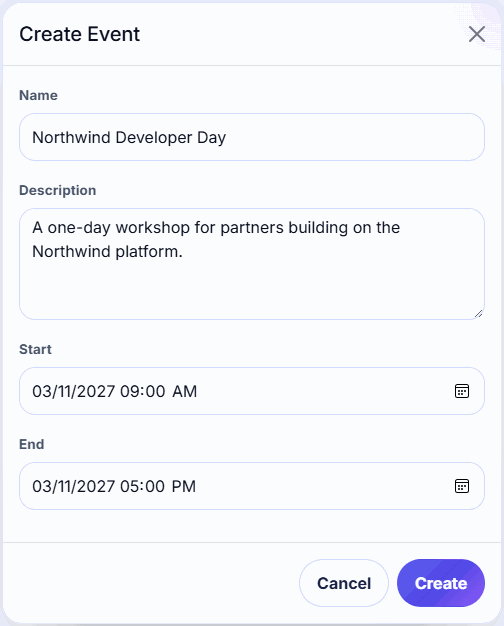
The end must be after the start. If nothing happens when you click Create, check that all three required fields are filled in and that the end date and time come after the start.
Getting attendees in
- Before the event: export your registration list as a spreadsheet and import it. See Import attendees from a CSV. You can import again later to add or update people.
- On the day: register people at the walk-in desk or a volunteer station. See Register walk-ins at the door.
Hand-made events don't have Sync from Eventbrite on the Attendees page, because there's nothing to sync with.
Copy an earlier event
-
Step 1: Duplicate
On the Events page, click Duplicate on the event you want to copy.
-
Step 2: Rename and set dates
Change the name (it starts as Copy of …) and the dates, then click Duplicate.
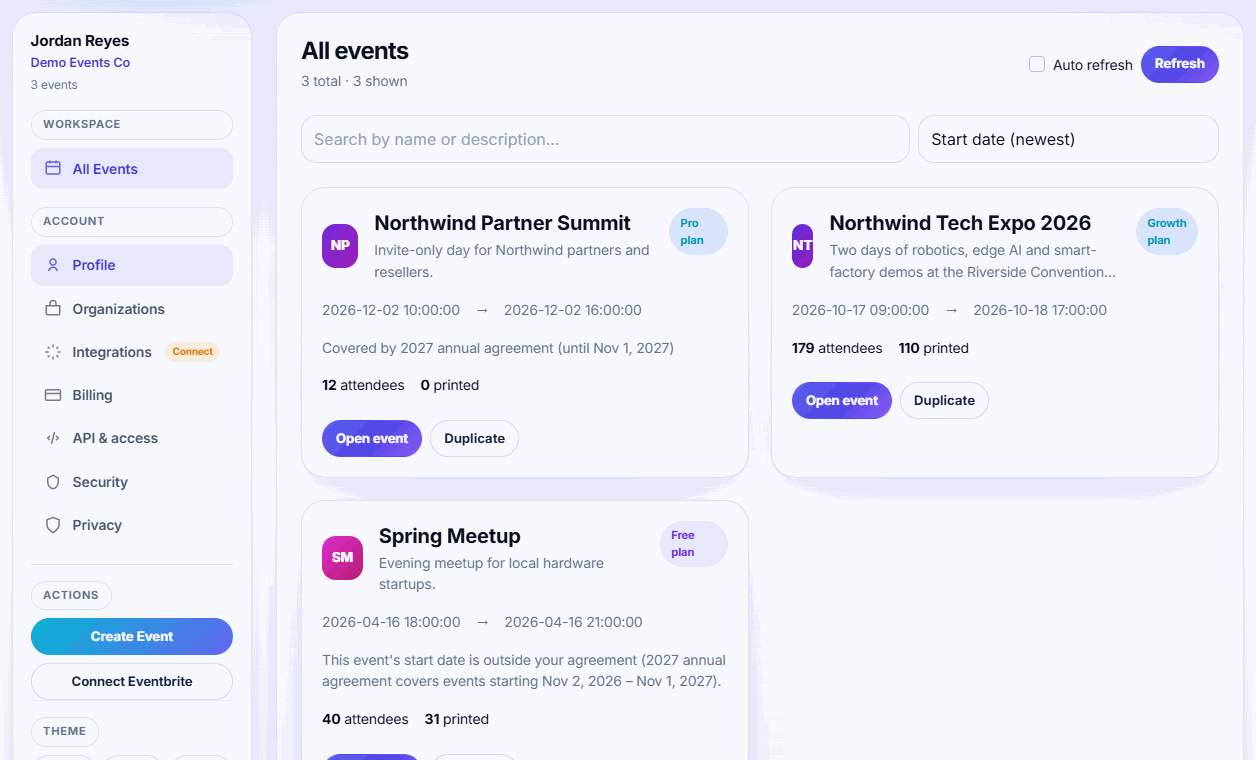
A duplicate copies the badge design and the exhibitor list. It doesn't copy attendees or the plan: the copy starts on the Free plan, and you need to invite exhibitors again. Duplicating is the quickest way to set up a yearly event.
Next steps
- Design your badge
- Invite exhibitors
- Choose a plan if you'll have more than 75 attendees or 3 exhibitors
Related guides
- Import attendees from a CSV Upload a spreadsheet of attendees with names, emails, companies and ticket types. Re-importing updates people instead of duplicating.
- Design your badge Set the badge size, place names, company, QR code and images in the badge designer, and save the layout used for every print.
- Invite exhibitors to your event Add exhibitors one by one or from a CSV, send their invite emails, and see who has joined and started scanning.
Still stuck?
Tell us what you were trying to do and what you saw. We'll help you sort it out.